
Back‑to‑school,
sorted.
Every kid has a list, every list has a dozen specifics, and somehow it all lands on you. School Supplied keeps each child’s supplies, sizes, and requirements organized in one place — so you’re not the one holding it all in your head.



Snap. Review.
Shop in one trip.
A peek at the app.
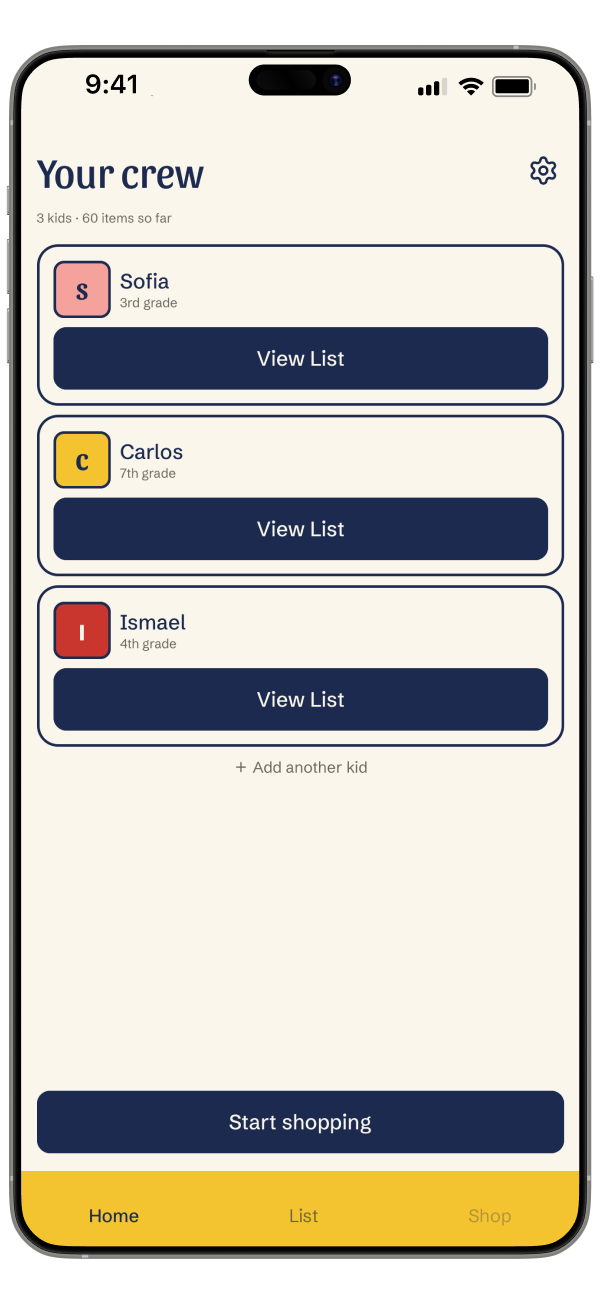
Every kid's list, one place.
Manage supply lists for all your kids without the chaos.
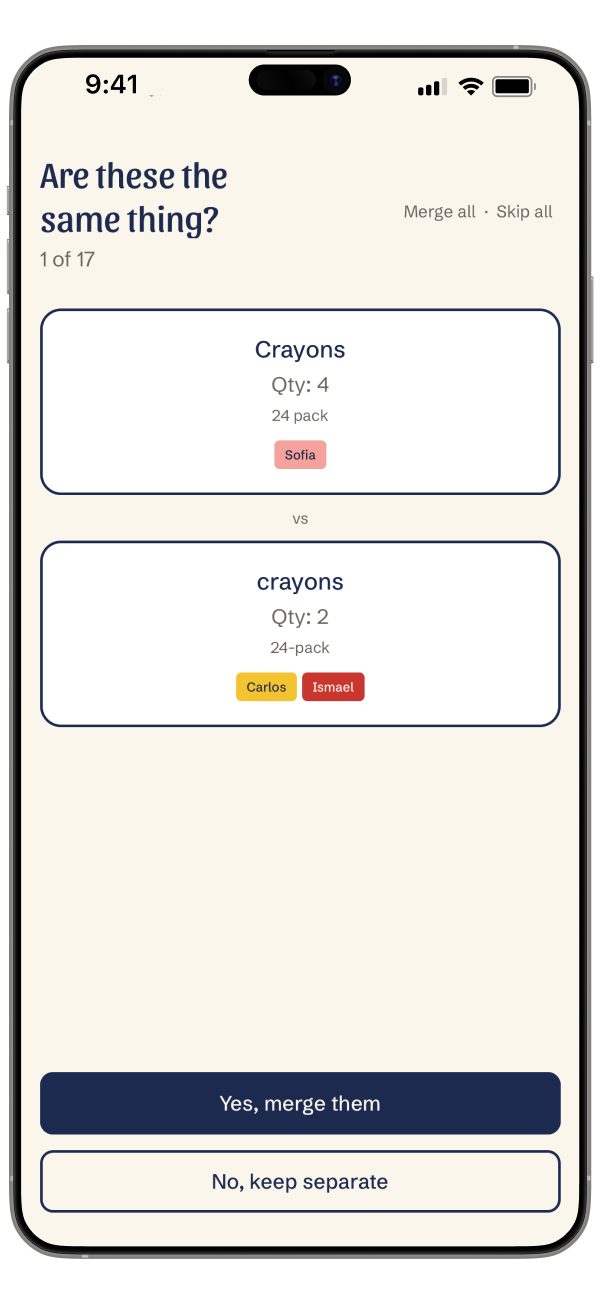
Smart enough to spot the duplicates.
We'll find items your kids share so you only buy what you need.
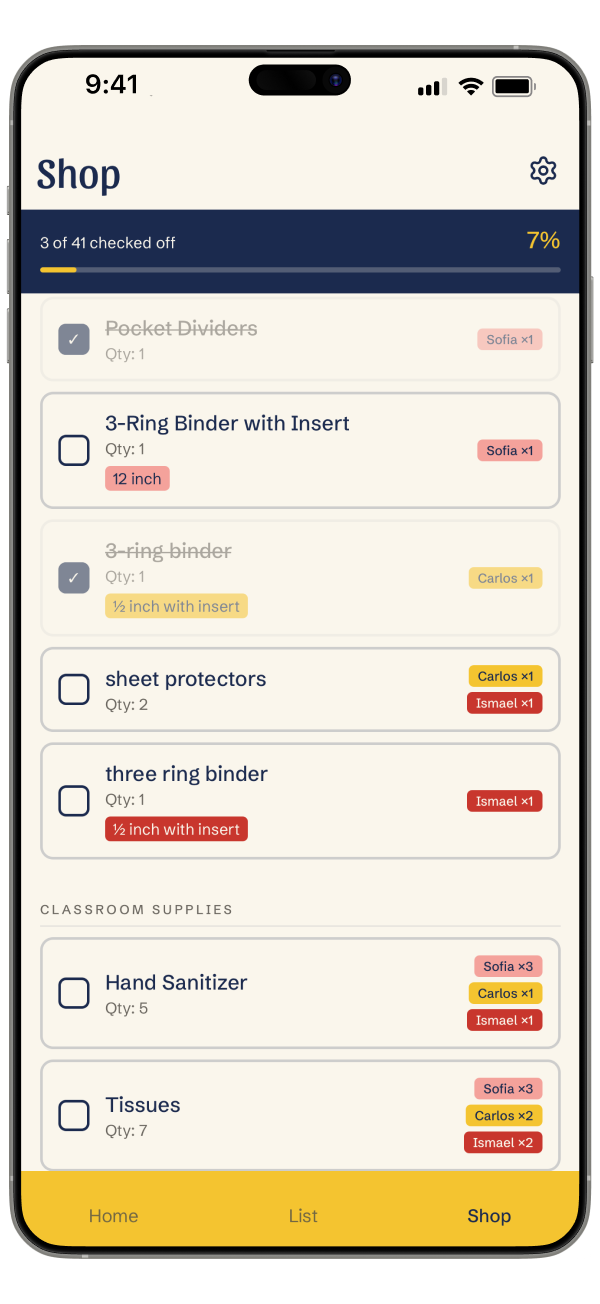
One trip. All kids.
Your merged shopping list, color-coded by kid so nothing gets missed.
"Somewhere around my third year of back-to-school supply lists, I realized I was solving the same problem every August: different lists from different teachers, overlapping items, three shopping trips to get everything. Nothing existed that handled it well. So I'm building it."
— Kayla, Creator of School Supplied and one overwhelmed parent


Questions, answered.
How the app works, what it costs, and what happens to your data.
Getting started
How does School Supplied work?
Take a photo of your child’s school supply list, or type it in by hand. The app turns it into an editable checklist you can review and correct. Do that for each kid, then combine everything into one shopping list.
Is there an app that scans a school supply list?
Yes. School Supplied scans a printed or photographed supply list and turns it into a checklist. Photo scanning is part of the one-time upgrade; see Pricing below.
Can I use School Supplied for more than one child?
Yes. The free version supports one child. The one-time upgrade adds unlimited children, each tracked separately.
Does it combine my kids’ lists into one shopping list?
Yes, once you’ve upgraded and have more than one child. Duplicates are merged, quantities added up, and items grouped so you’re not zigzagging across the store. Each item shows which child it’s for.
Can I check items off while I’m in the store?
Yes. As long as you have a connection, wifi or cell service, you can check things off in real time while you shop.
Does School Supplied tell me where to buy the supplies?
No. There are no store partnerships and no affiliate links. It organizes what you need and leaves the shopping to you.
Pricing
Is School Supplied free?
Yes, free to download. The free version supports one child with manual list entry. A one-time $7.99 upgrade adds photo scanning and unlimited children.
How much does School Supplied cost?
$7.99, paid once. Not a subscription.
Do I have to pay for each child?
No. One purchase covers your whole household, however many kids you add.
Privacy
What happens to the photos of my school supply list?
Your photo stays on your device. Text recognition reads the words on the page there, and it’s that recognized text, not the photo, that’s used to build your list. The text isn’t kept once your list is built. Full details are in the privacy policy.
Does School Supplied use AI?
Yes. The text recognized from your photo is processed by an AI model to identify items and quantities, which is what turns a scan into your checklist. You review everything before it’s saved.
Is my child’s information used to train AI models?
Your account details, like your name, email, and child profiles, are never sent to any AI model. The text recognized from your photo is processed by our AI provider under its data policy — the privacy policy explains exactly how that text is handled.
Does School Supplied sell or share my data?
No. Your lists and your children’s information are not sold, and they’re not shared with advertisers.
Does the app track how I use it?
Yes, in a limited way. We use basic analytics tied to your account to understand how the app is used, and crash reporting to catch bugs. Neither collects your list content.
Do I need an account to use School Supplied?
Yes. An account is what keeps your lists safe if you switch phones. You can sign up with email, Apple, or Google.
How do I delete my account and my data?
In the app, go to Settings, then Account, then Delete account. You can also submit a deletion request from the privacy policy page.
Devices and languages
Is School Supplied available on Android?
Yes. School Supplied is on both the App Store and Google Play.
Is School Supplied available in Spanish?
Yes. The app is fully available in Spanish. It follows your phone’s language setting by default, and you can also pick your language in the app’s settings.
What if the app reads my supply list wrong?
You review every list before it’s saved, and anything the app wasn’t confident about gets flagged. Tap any item to fix the name or the quantity.
Does it work with handwritten lists?
It handles printed lists best. Handwriting depends on how neat it is, so the review step matters more there. Nothing gets saved until you’ve approved it.
What if my school sends the list as a PDF instead of paper?
Take a photo or screenshot of it on screen and the app will read it the same way. Direct document scanning is coming in a future update.